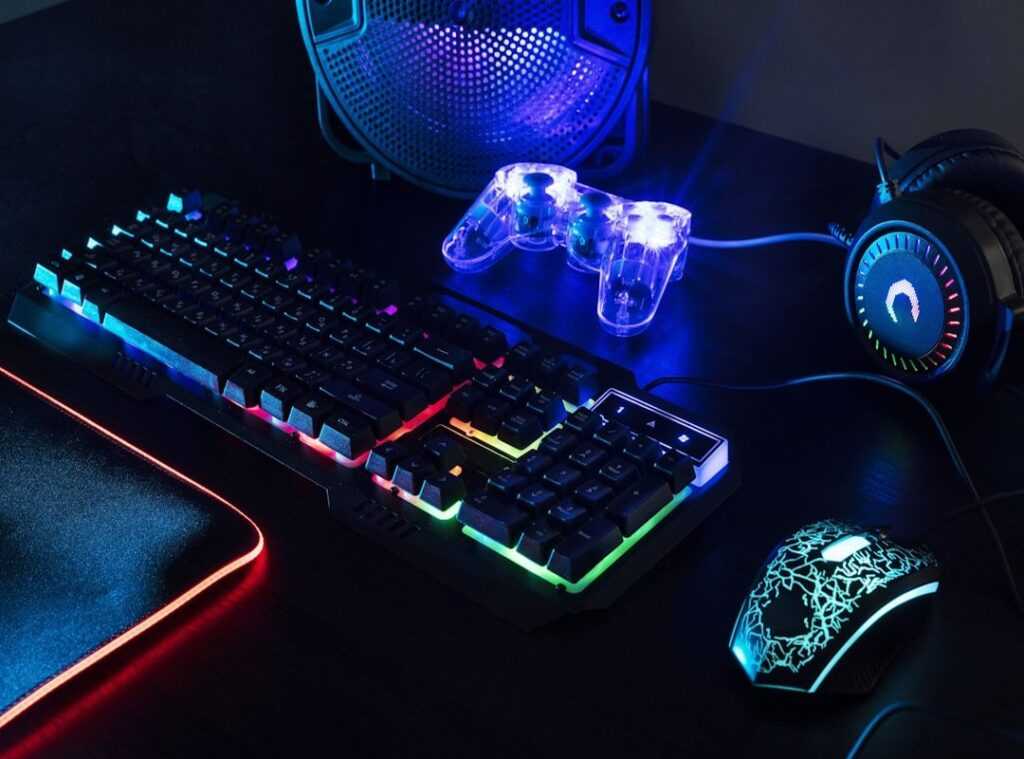
If you’re searching for ways to level up your performance and stay comfortable during long gaming sessions, you’re in the right place. A well-planned ergonomic gaming desk setup isn’t just about aesthetics—it directly impacts your focus, reaction time, and long-term health. Poor posture, wrist strain, and screen positioning issues can quietly reduce your competitive edge.
In this guide, we break down the essential elements of an optimized setup, from desk height and monitor placement to chair support and peripheral alignment. You’ll also discover how pro players and competitive teams structure their environments to reduce fatigue and maintain peak performance during extended tournaments.
Our insights are based on in-depth analysis of multiplayer platform trends, tournament play environments, and practical testing across real gaming scenarios. By the end, you’ll have clear, actionable steps to build a setup that supports both comfort and competitive performance—so you can play longer, react faster, and stay sharp.
By day, your desk hums with Slack pings and the faint warmth of an overworked laptop; by night, it should thrum with bass and rapid-fire keystrokes. Modern professionals face a paradox: one surface, two high-stakes arenas.
A spreadsheet-tuned layout often leaves your wrists aching mid-match, while a neon-drenched battlestation can scatter focus when deadlines loom. Some argue you should keep separate zones, but not everyone has the space—or patience.
This guide shows how an ergonomic gaming desk setup can click into place, keys crisp beneath fingers, posture steady, lighting cool. The goal: synergy—where productivity sharpens reflexes, and victories fuel focus.
The Ergonomic Trinity: Your Chair, Desk, and Posture
The Throne
A real performance chair isn’t about racing stripes or “pro” branding. It’s about survival during 8-hour workdays and 4-hour raid nights. Non-negotiables include adjustable lumbar support (lower-back reinforcement that matches your spine’s natural curve), 4D armrests (move up, down, forward, back, and side-to-side), and breathable materials like mesh to prevent heat buildup. Some argue any chair works if you “sit properly.” In theory, sure. In practice? Fatigue wins (and your back pays the price).
The Foundation
Desk height should let your elbows rest at roughly 90 degrees. Depth matters too—you need enough space to position your monitor at least an arm’s length away. Critics say sit-stand desks are overpriced hype. But research from the Mayo Clinic suggests alternating between sitting and standing reduces back pain and improves circulation. In a dual-use setup, that flexibility is gold. Pro tip: preset standing and sitting heights so switching takes seconds, not motivation.
Monitor & Vision Health
Follow the eye-level rule: the top third of your screen should sit at or slightly below eye height to prevent neck strain. For immersive gaming, lowering it slightly can widen your natural field of view (think cinematic framing). Monitor arms make this effortless—essential for any ergonomic gaming desk setup.
The Posture Protocol
- Keep elbows at 90 degrees.
- Plant feet flat.
- Align ears over shoulders.
- Relax your grip.
Some claim posture rules are rigid. They’re not. They’re guardrails. Break them occasionally—but don’t live outside them.
Gear Synergy: Peripherals That Pull Double Duty
Keyboard & Mouse Selection
Mechanical switches feel different under your fingertips. Linear switches (smooth, no tactile bump) glide silently and actuate fast—great for twitch gaming where milliseconds matter. Tactile switches add a soft bump you can feel, improving typing accuracy because your fingers sense the actuation point (less bottoming out, less fatigue). Clicky switches? Satisfying, yes—but that sharp snap can echo through voice chat.
Some argue you should own separate boards: one tuned for SPEED, one for precision. Fair. But hybrid models with hot-swappable switches or adjustable actuation let you balance both. Pair that with a lightweight mouse featuring adjustable DPI, and you’ll feel the difference instantly—crisp tracking in-game, steady control in spreadsheets. (Your wrists will thank you.)
The Visual Core
High refresh rates (144Hz+) look buttery smooth in motion; once you see it, 60Hz feels like a flipbook. Meanwhile, high color accuracy (measured in Delta E and color gamut coverage) makes creative work pop with true-to-life tones. Critics say you can’t optimize for both without overspending. Not entirely true.
Ultrawide monitors wrap your field of view, immersing you in glowing landscapes, while OLED panels deliver inky blacks and vivid contrast for work and play. They’re premium—but they eliminate compromise.
Audio Strategy
A condenser desk mic captures your voice with studio clarity for calls, while open-back headphones create a wide, airy soundstage for footsteps and ambient cues. Instead of a bulky gaming headset, consider a modular setup—and refine it further with audio configuration tweaks for better in game awareness.
Cable Management Mastery
Clutter isn’t just ugly—it tugs at your focus. Velcro ties, under-desk raceways, and cable sleeves keep surfaces smooth and snag-free during intense matches. A clean ergonomic gaming desk setup feels calm, controlled, READY.
Mastering Your Environment: Light, Sound, and Focus

Layered Lighting for Performance
First, think in layers. A three-point lighting system isn’t just for streamers—it’s functional. Your key light (positioned behind your monitor at eye level) ensures your face is evenly lit on video calls, reducing harsh shadows and camera grain. Next, ambient light—like a warm desk lamp or wall sconce—lowers screen contrast, which can reduce eye strain over long sessions (the American Optometric Association notes proper lighting helps minimize digital eye fatigue). Finally, add customizable RGB lighting behind your setup. Beyond aesthetics, bias lighting can improve perceived screen clarity and immersion during gameplay.
Acoustic Optimization on a Budget
Clear audio matters just as much. Hard surfaces bounce sound, creating echo in meetings and multiplayer lobbies. Adding rugs, blackout curtains, or adhesive acoustic panels absorbs those reflections. Even a filled bookshelf works as a diffuser. The result? Cleaner voice transmission and less listener fatigue.
Building the Focus Bubble
Equally important, protect your attention. Keep your ergonomic gaming desk setup clutter-free, and store work items out of sight after hours to mentally “clock out.” Digitally, use notification blockers or app timers to prevent interruptions. Small environmental tweaks compound into sharper focus and better performance.
The Digital Transition: From Productivity to Play in Seconds
Switching from spreadsheets to spawn points shouldn’t feel jarring. Use virtual desktops or tools like DisplayFusion to build separate profiles—one calm, minimalist workspace and one bold, high-contrast gaming hub. Different wallpapers, distinct icon layouts, and tailored startup apps create a visual snap between modes (like changing stage lighting before a show). The work screen feels cool and orderly; the gaming profile hums with color and motion.
The 5-Minute Switch
• Stand up, stretch, breathe.
• Tidy cables on your ergonomic gaming desk setup.
• Shift lighting from white to RGB GLOW.
• Play a signature login sound.
Your brain feels the reset instantly.
Your ultimate battlestation wasn’t about squeezing two desks into one room. It was about building one intelligent, ergonomic, synergistic space that works as hard as you do.
Remember the friction: spreadsheets by day, spawn points by night. “I’m tired of compromising,” you might’ve said. “Why can’t one setup handle both?”
The answer is a holistic approach:
• Smart gear that transitions seamlessly
• Environmental control that protects focus
• An ergonomic gaming desk setup designed for longevity
That’s how you unlock peak comfort and performance. Not two compromised stations, but one command center that supports every ambition. Build space that says, “I’m ready.”
Level Up Your Competitive Edge Today
You came here to sharpen your competitive edge—and now you have the tactical insights, platform trends, and tournament strategies to do exactly that. From smarter positioning to optimized reaction timing, every adjustment you make compounds over time. The difference between average and elite often comes down to preparation.
If you’ve been struggling with long sessions, inconsistent performance, or fatigue costing you crucial moments, the fix isn’t just mechanical skill—it’s structure. Dialing in your ergonomic gaming desk setup can dramatically improve comfort, focus, and endurance when it matters most.
Now it’s your move.
Audit your current setup. Refine your tournament prep routine. Apply the multiplayer strategies you’ve just learned in your next session. Small improvements today lead to dominant performances tomorrow.
Serious players don’t leave results to chance—and neither should you. Start optimizing your setup and strategy now so you can compete longer, react faster, and win more consistently. Your next breakthrough performance is built on what you do next.

 Kyralith Zelthanna has opinions about gamer setup optimization tips. Informed ones, backed by real experience — but opinions nonetheless, and they doesn't try to disguise them as neutral observation. They thinks a lot of what gets written about Gamer Setup Optimization Tips, Game Industry Buzz, Expert Breakdowns is either too cautious to be useful or too confident to be credible, and they's work tends to sit deliberately in the space between those two failure modes.
Reading Kyralith's pieces, you get the sense of someone who has thought about this stuff seriously and arrived at actual conclusions — not just collected a range of perspectives and declined to pick one. That can be uncomfortable when they lands on something you disagree with. It's also why the writing is worth engaging with. Kyralith isn't interested in telling people what they want to hear. They is interested in telling them what they actually thinks, with enough reasoning behind it that you can push back if you want to. That kind of intellectual honesty is rarer than it should be.
What Kyralith is best at is the moment when a familiar topic reveals something unexpected — when the conventional wisdom turns out to be slightly off, or when a small shift in framing changes everything. They finds those moments consistently, which is why they's work tends to generate real discussion rather than just passive agreement.
Kyralith Zelthanna has opinions about gamer setup optimization tips. Informed ones, backed by real experience — but opinions nonetheless, and they doesn't try to disguise them as neutral observation. They thinks a lot of what gets written about Gamer Setup Optimization Tips, Game Industry Buzz, Expert Breakdowns is either too cautious to be useful or too confident to be credible, and they's work tends to sit deliberately in the space between those two failure modes.
Reading Kyralith's pieces, you get the sense of someone who has thought about this stuff seriously and arrived at actual conclusions — not just collected a range of perspectives and declined to pick one. That can be uncomfortable when they lands on something you disagree with. It's also why the writing is worth engaging with. Kyralith isn't interested in telling people what they want to hear. They is interested in telling them what they actually thinks, with enough reasoning behind it that you can push back if you want to. That kind of intellectual honesty is rarer than it should be.
What Kyralith is best at is the moment when a familiar topic reveals something unexpected — when the conventional wisdom turns out to be slightly off, or when a small shift in framing changes everything. They finds those moments consistently, which is why they's work tends to generate real discussion rather than just passive agreement.